Feature guideSolo+
DVSA walkaround checks
The DVSA daily walkaround, done on the driver's phone.
Drivers work through the DVSA sheet for their vehicle in the WTNcloud app, flag anything wrong and sign it off, with or without signal. You see every check from the office, a dangerous defect marks the vehicle off the road until it's fixed, and each check prints as a record ready for a DVSA visit.
Included from Solo+ upwards.
What every check records
Each check is the whole DVSA sheet for that vehicle, filled in and signed. It's kept with the vehicle, so its history builds up check by check.
- The vehicle's sheetHGV (rigid), HGV with trailer, or light commercial, chosen per vehicle.
- Every itemEach line marked OK, defect, dangerous or not applicable, in walk-round order.
- DefectsWhat's wrong and how serious it is: minor, major or dangerous.
- OdometerThe reading when the check was done.
- Driver's signatureWho did the check, signed on the screen, with the date and time.
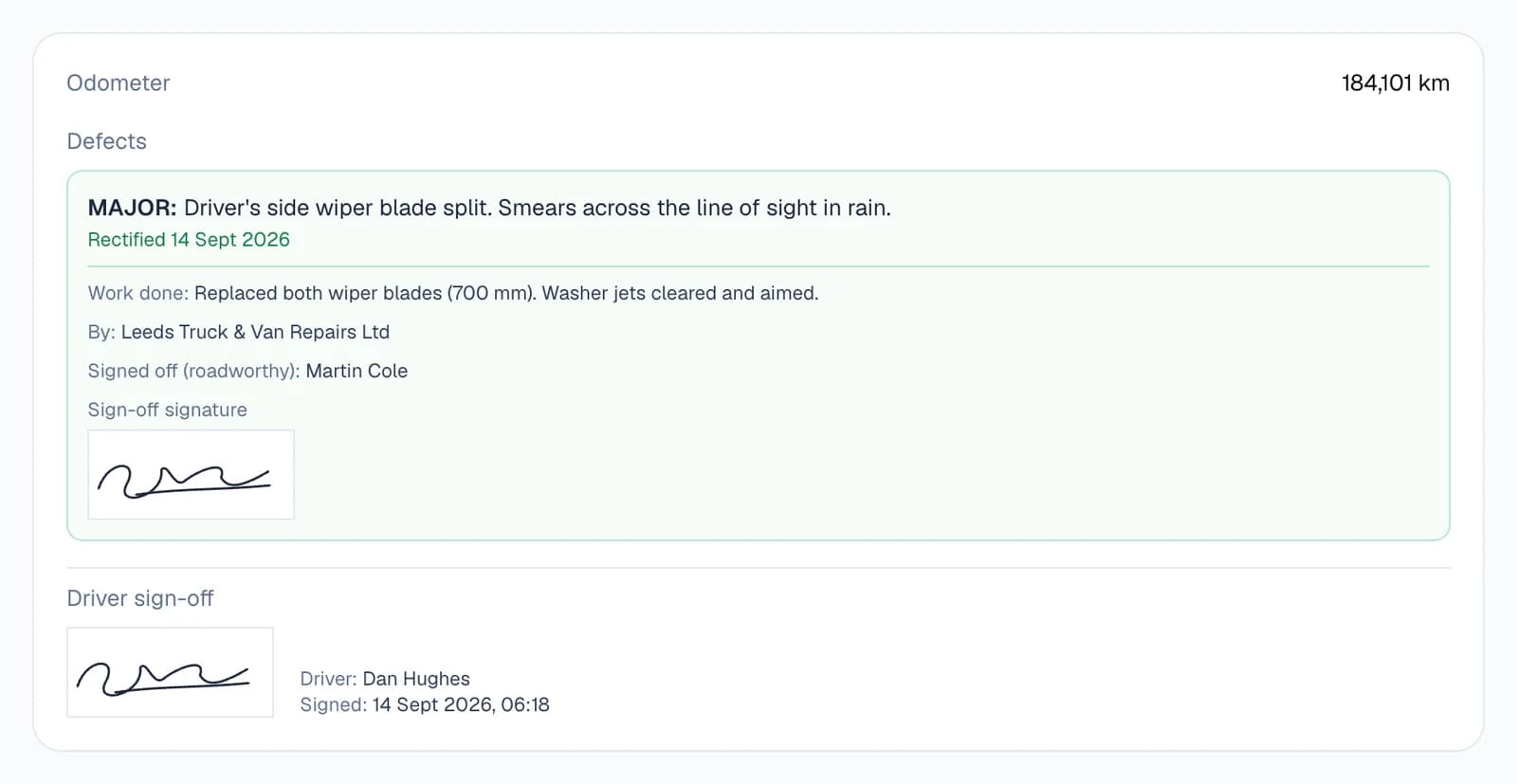
- The repairWhat was done, who did it, and who signed the vehicle off as roadworthy.
- Earlier defectsMinor and major defects still open from earlier checks of the same vehicle.
- A printable recordEach check lays out as one record to print or save as a PDF.
Step by step
How it works
Step 1: Choose which vehicles get a daily check
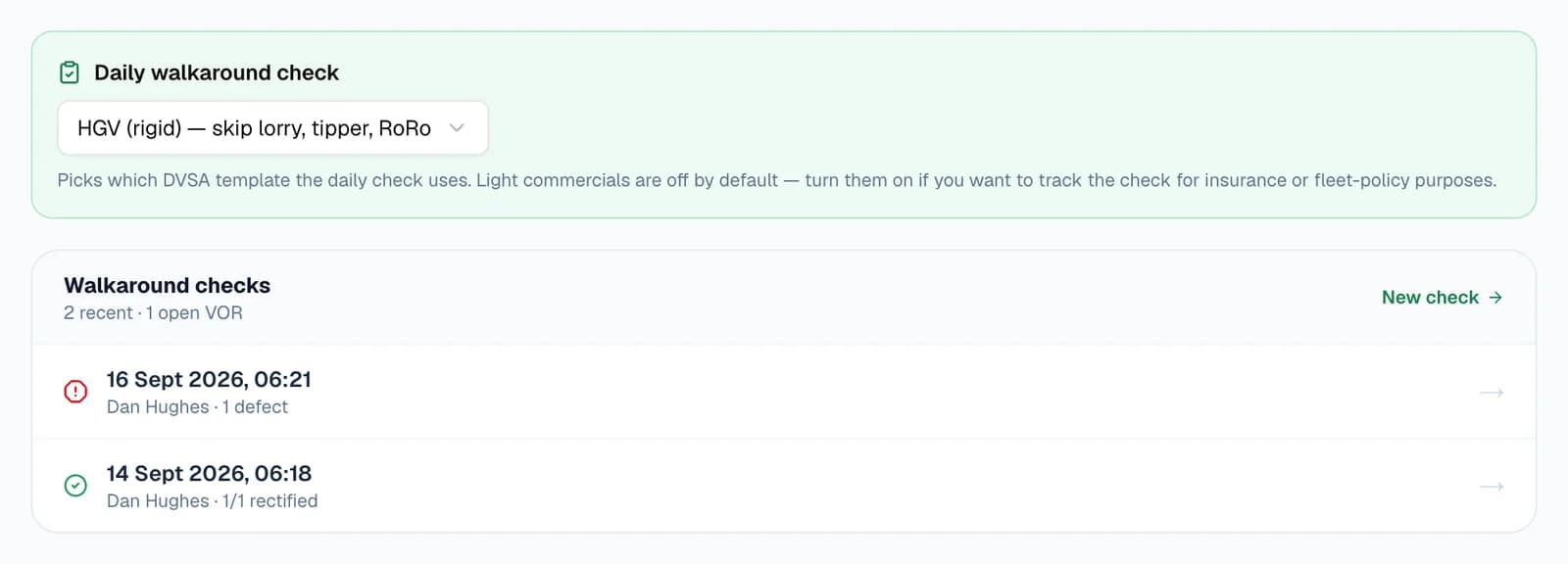
Open a vehicle from Vehicles and choose its sheet under Daily walkaround check: HGV (rigid) for skip lorries, tippers and RoRos, HGV with trailer, or light commercial for vans up to 3.5 tonnes.
When you add a flatbed, tipper, skip lorry, tanker or roll-on/roll-off, it starts on the HGV (rigid) sheet. Vans start with checks off, so you decide whether to track them.
- The trailer sheet adds five coupling checks, from the fifth wheel to the trailer's number plate.
- Each vehicle's page lists its recent checks and shows when it's off the road.
Step 2: Your driver does the check on their phone
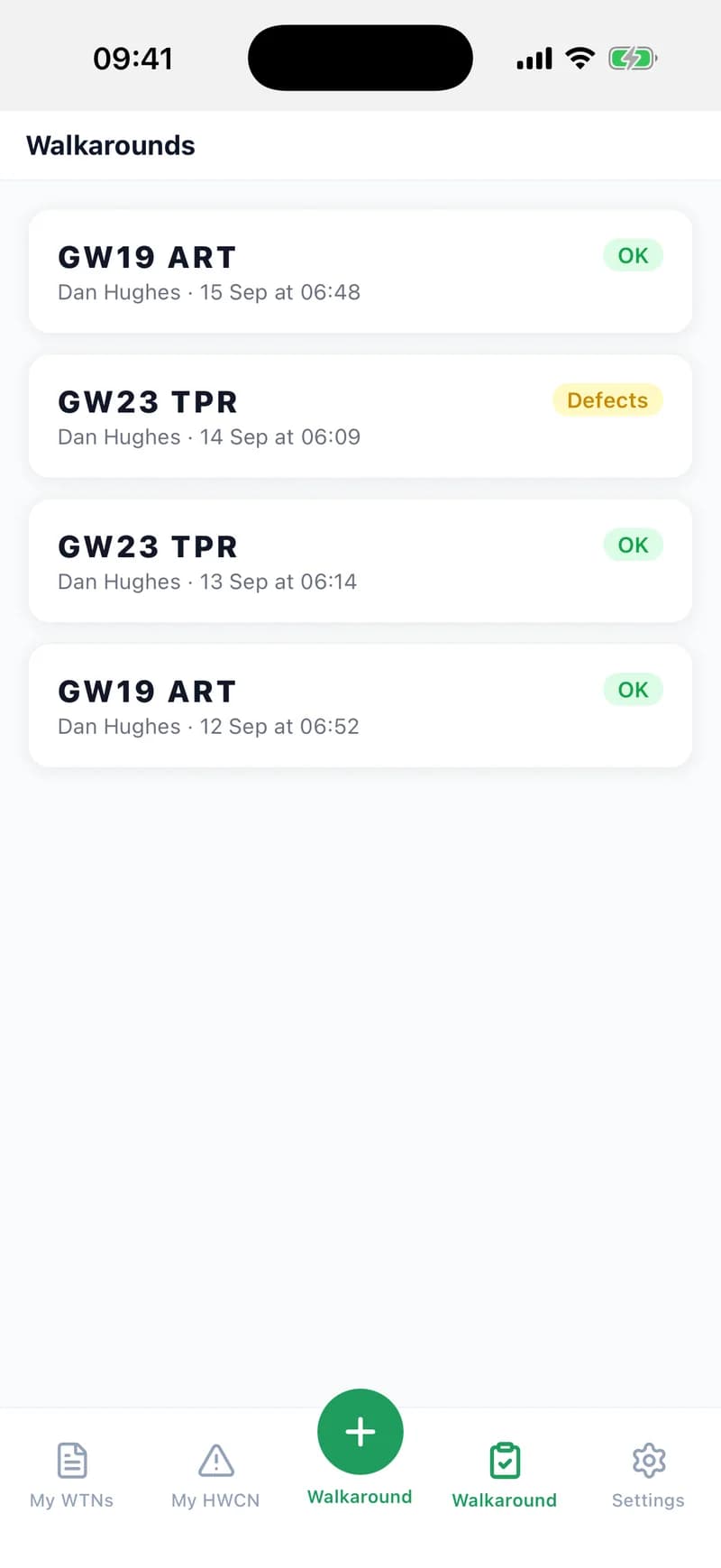
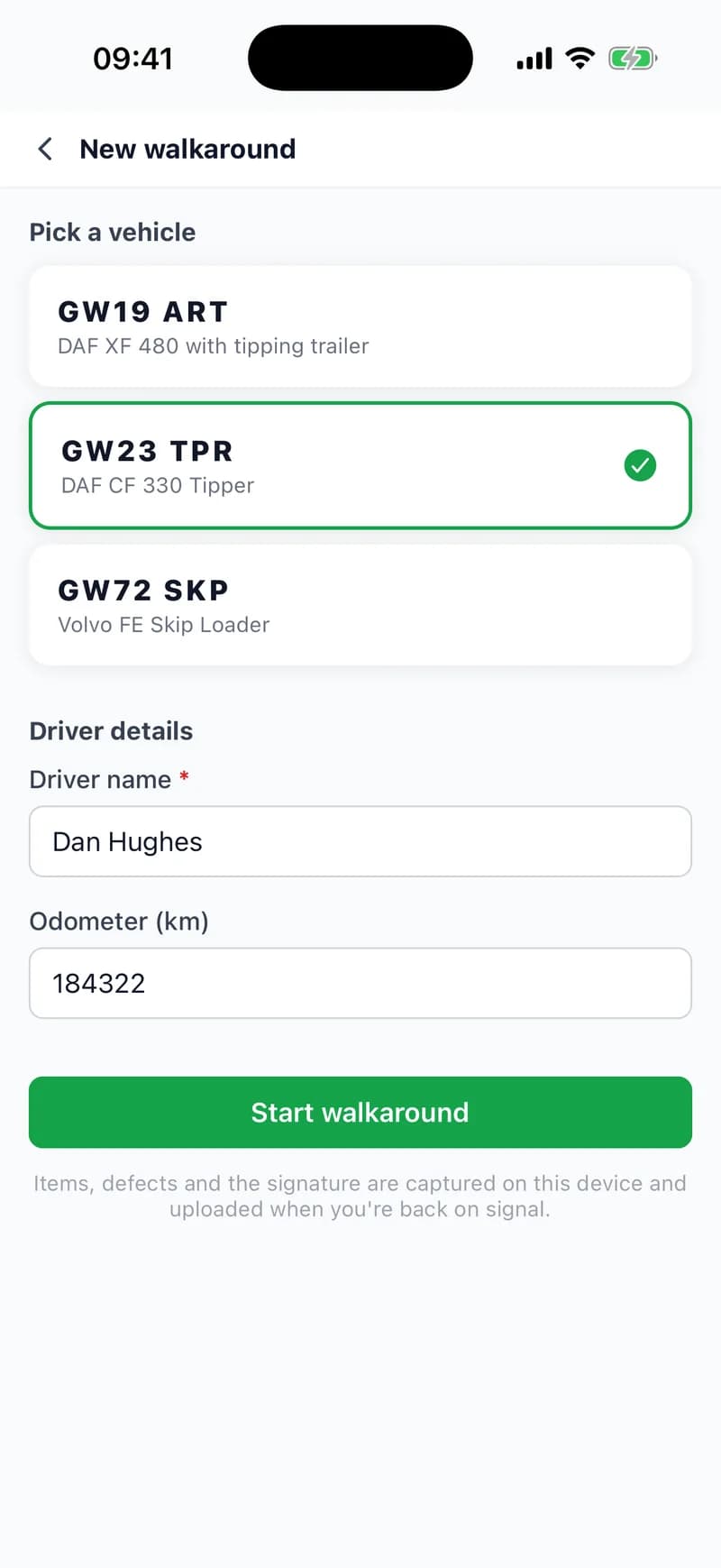
In the WTNcloud app, drivers open the Walkaround tab and tap + Walkaround. They pick the vehicle, add the odometer reading, and the DVSA sheet for that vehicle opens with every line ticked OK, so they only mark what isn't.
No signal at the yard? It doesn't matter. The check is saved on the phone and uploads when it's back online.
- A driver's own name is filled in for them.
- You can do a check from the app yourself too: tap More, then Walkaround.
- Drivers can also sign in on the web and do the same check in a browser.
Step 3: Flag a defect, sign and submit
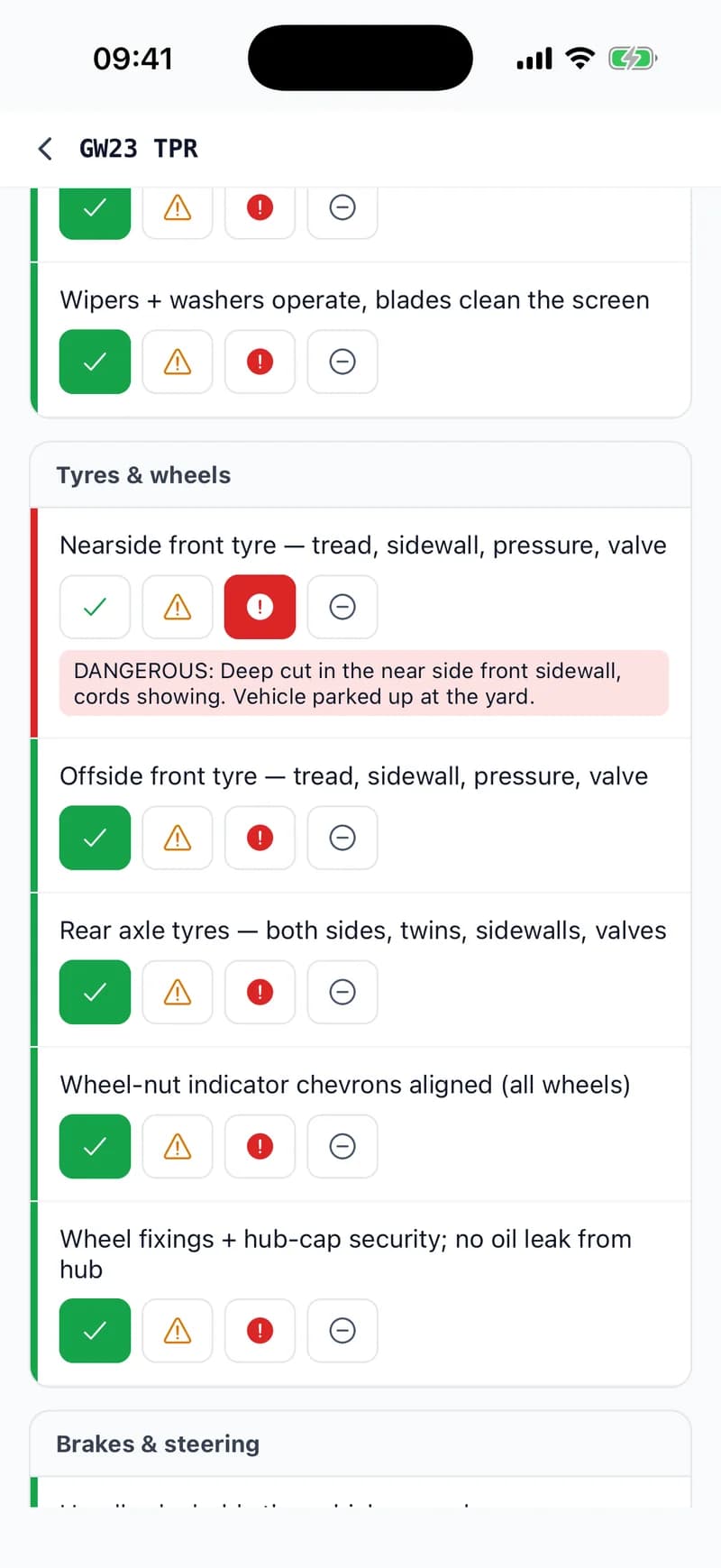
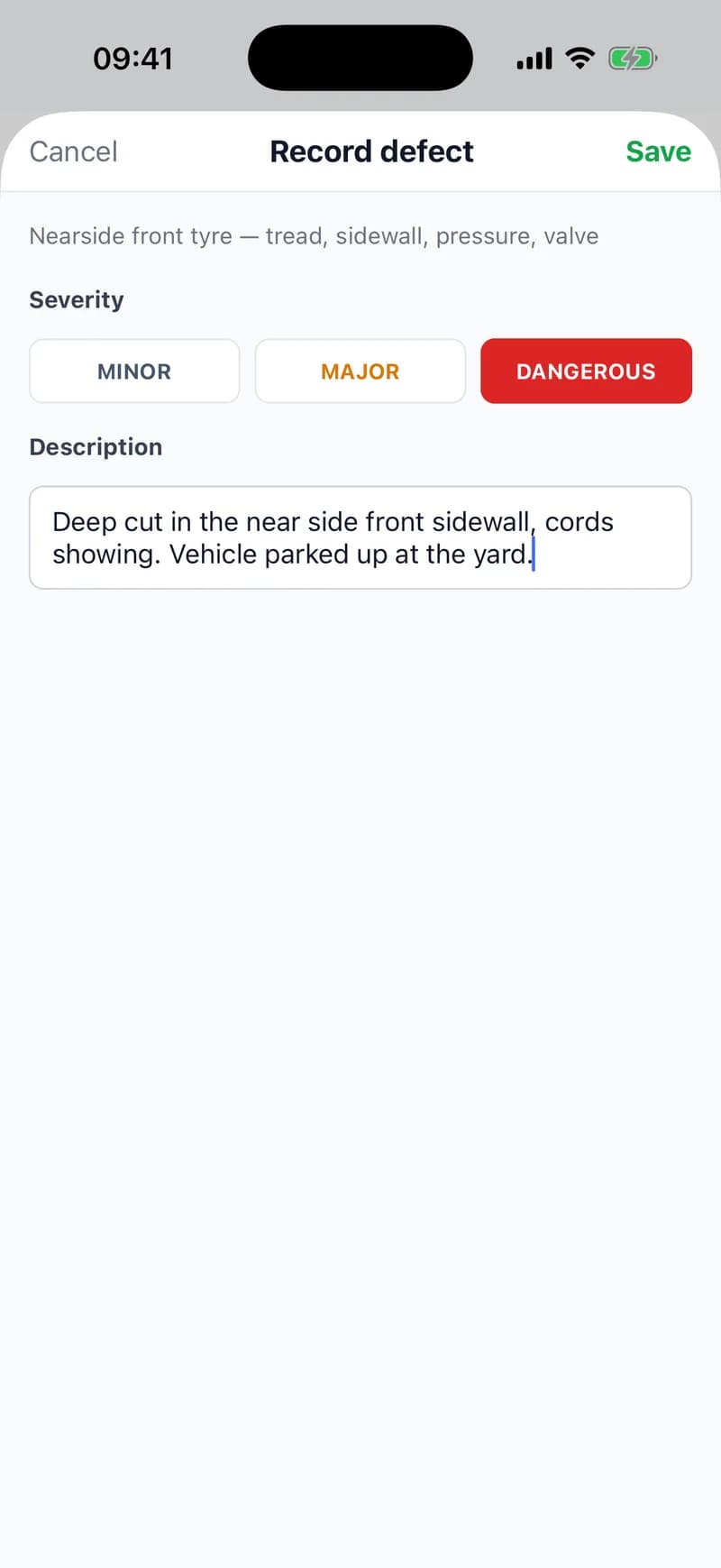
Marking a line as a defect or dangerous opens a note for the workshop: how serious it is, from minor to dangerous, and what's wrong.
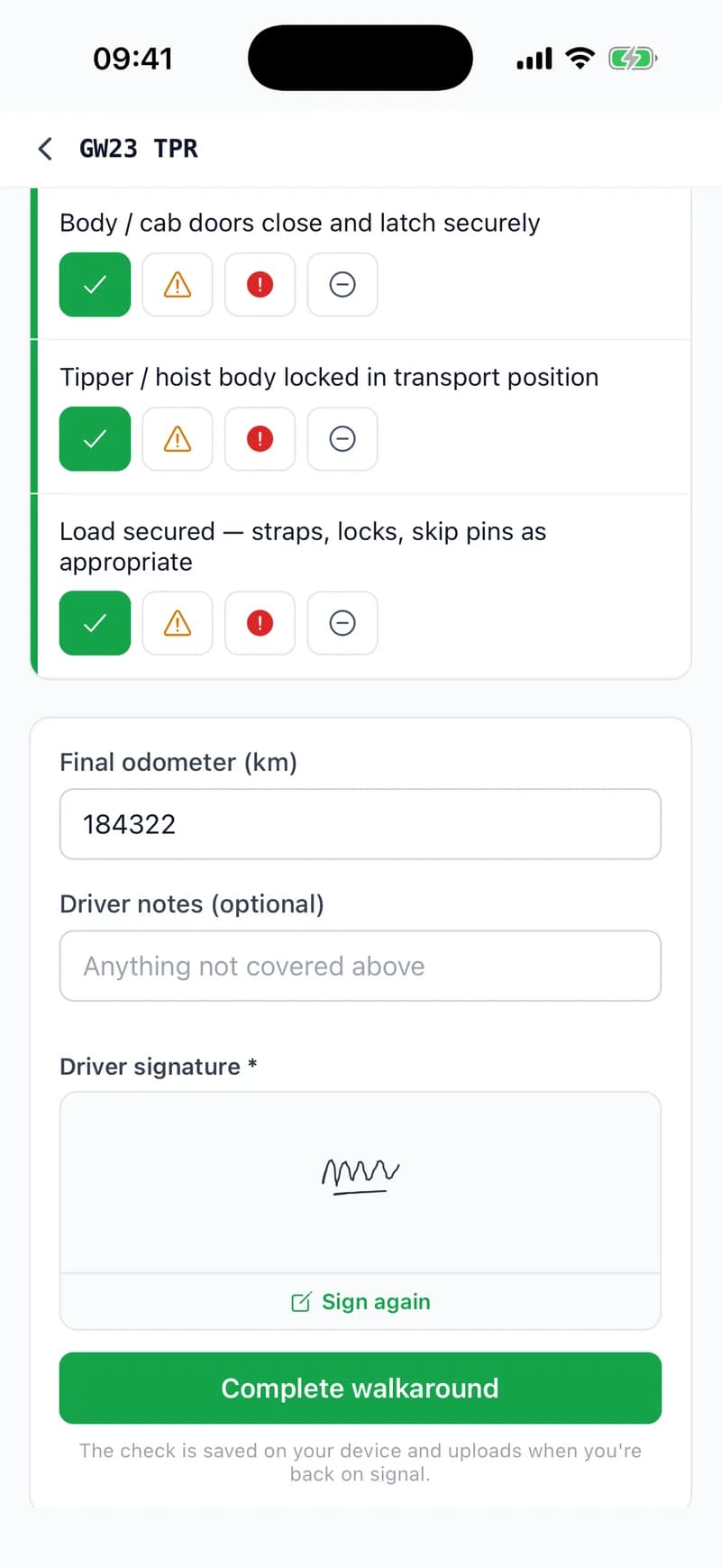
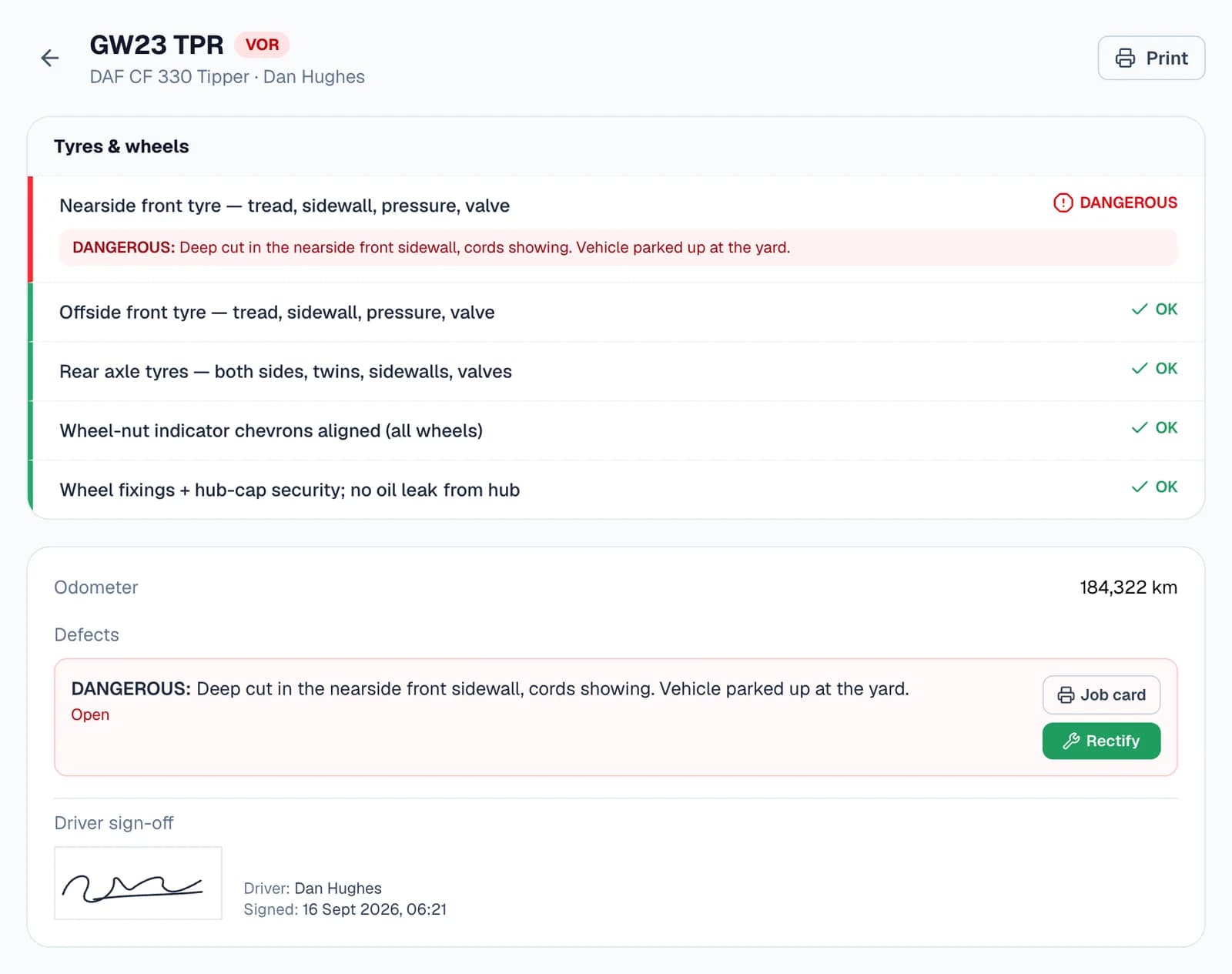
A dangerous defect marks the vehicle VOR, vehicle off road. When the walkaround is done, the driver signs with a finger and taps Complete walkaround.
Step 4: See the day's checks from the office
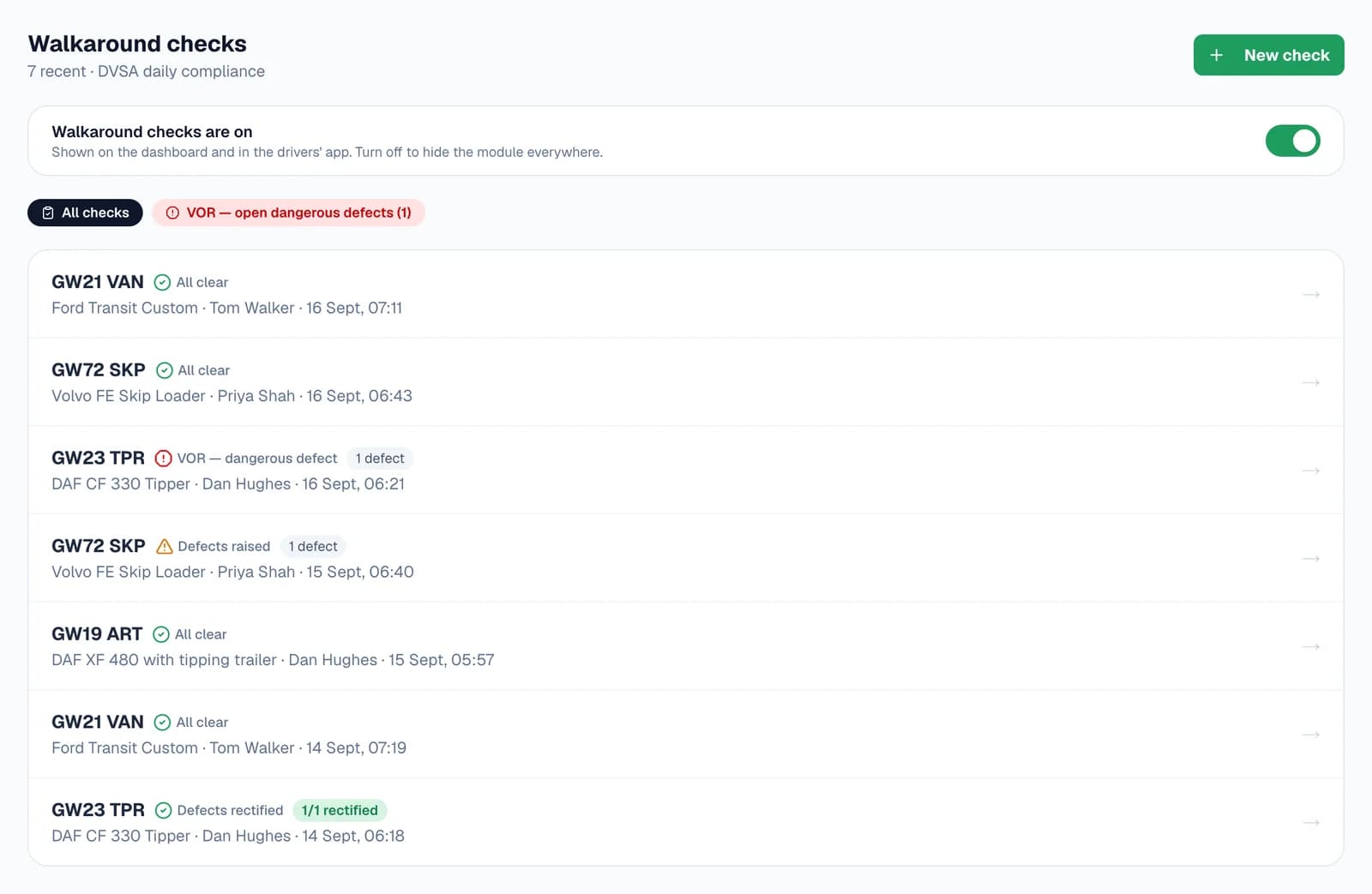
Walkarounds on your dashboard lists every check with its result: all clear, defects raised, defects rectified, or VOR. One click filters it down to the vehicles off the road.
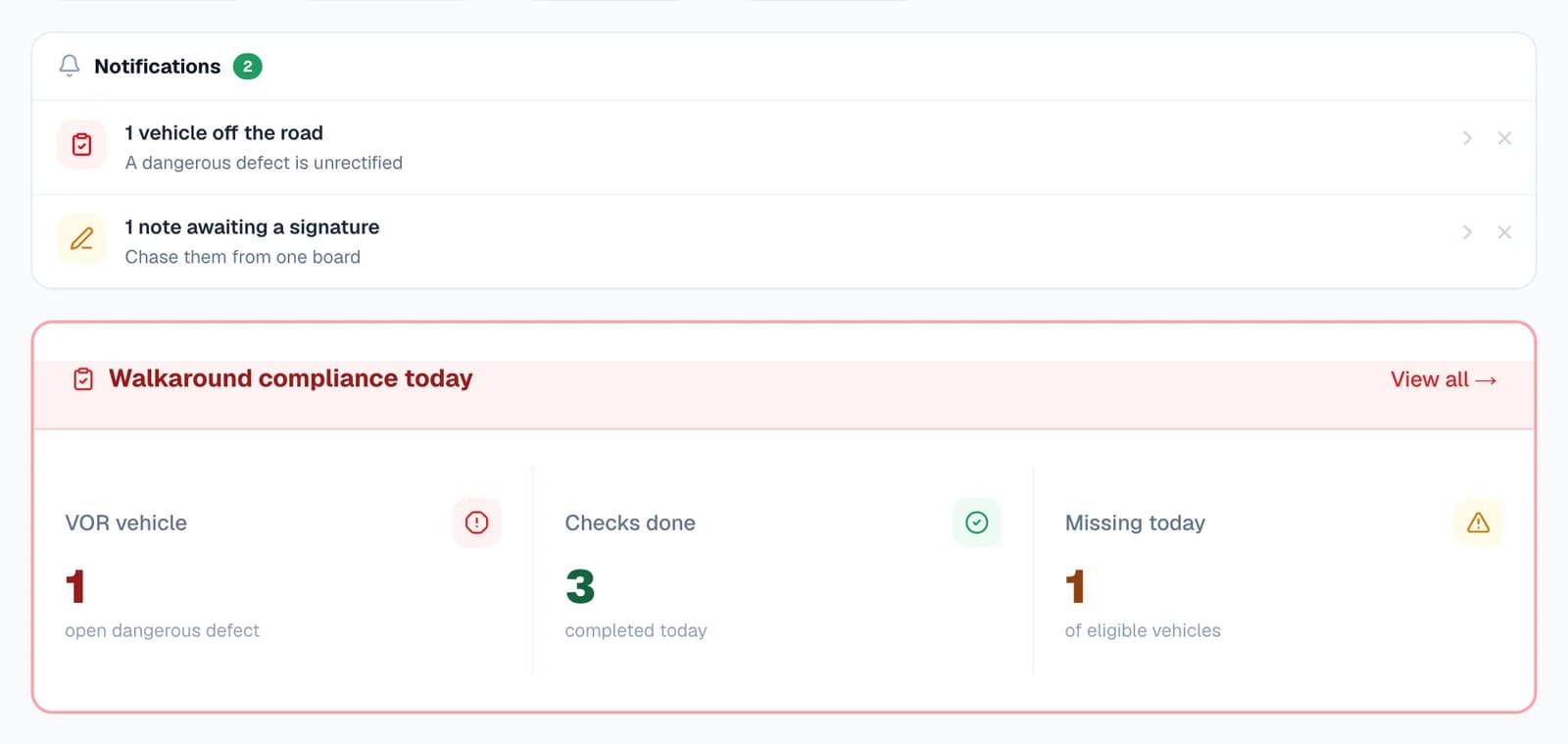
Your dashboard's Walkaround compliance today card counts the vehicles off the road, the checks done today and the vehicles still missing today's check. Your notifications also tell you when a vehicle is off the road.
- Office logins can do a check on the web with New check, and add up to five photos to each defect.
Step 5: Send the defect to be fixed
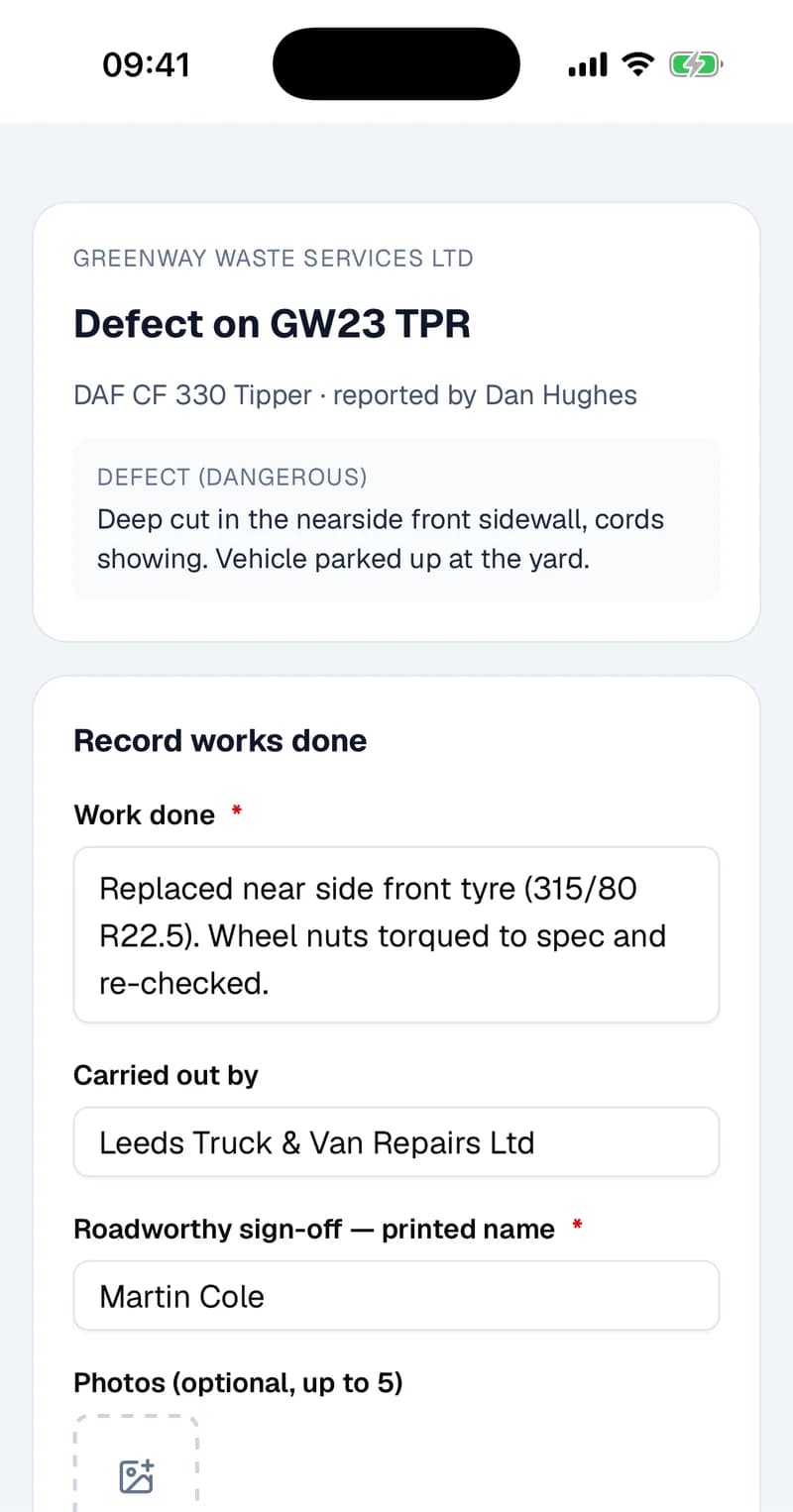
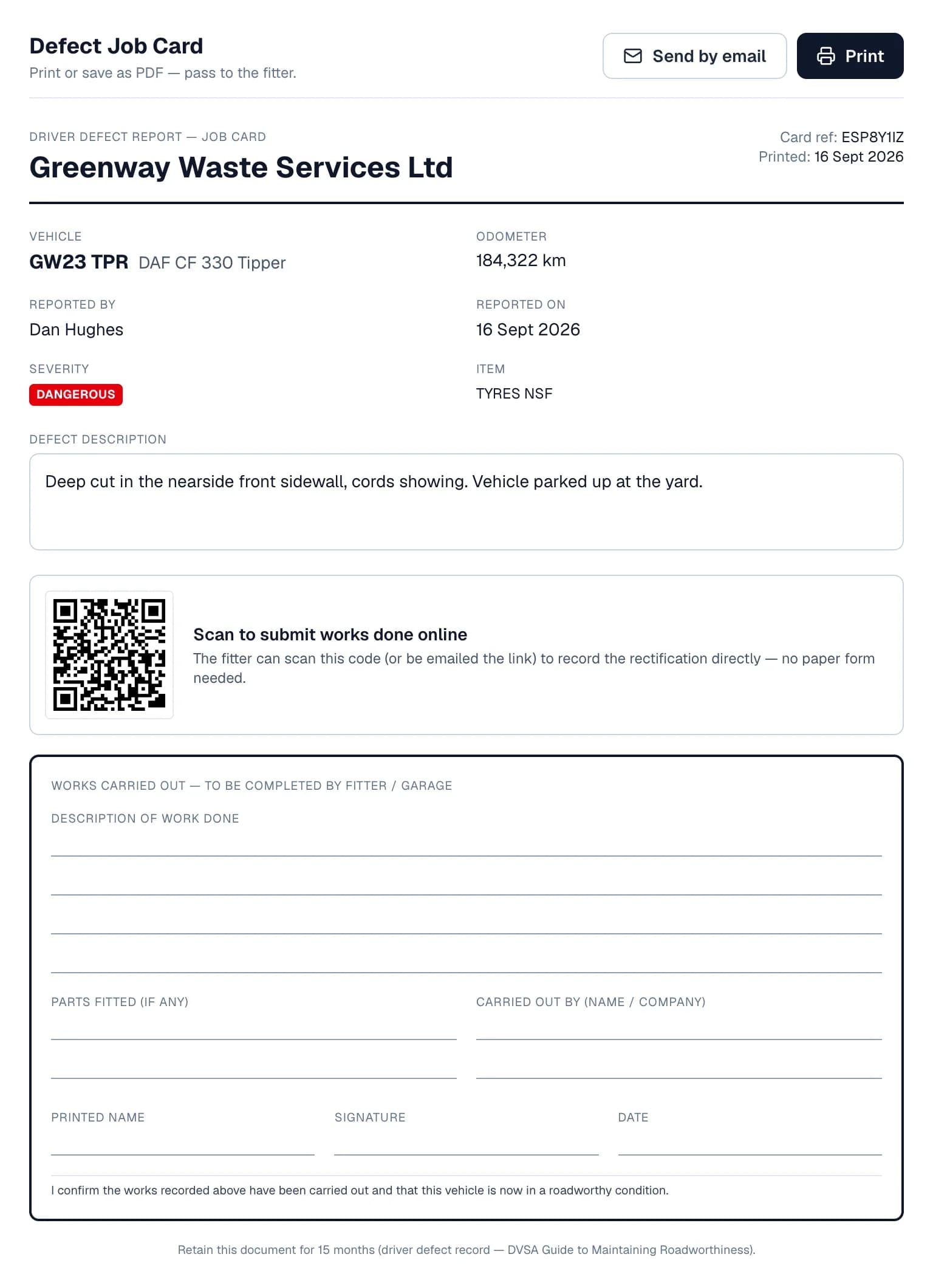
Open the completed check and each open defect has two buttons. Job card lays out a sheet for whoever does the repair, with a QR code they scan to record the work online. Send by email emails them a link instead. They don't need a WTNcloud account.
If the work was done in-house, choose Rectify and record it yourself: what was done, who did it, and the name and signature of the person signing the vehicle off as roadworthy.
Step 6: The fitter signs the repair off
The link opens on the fitter's phone, showing the defect. They describe the work, can add up to five photos of the invoice or the new part, type their name and sign.
Their sign-off lands on your walkaround record. Once no dangerous defect is left open on the check, the vehicle is no longer VOR.
- Links last 30 days, and sending the email again sends a fresh link.
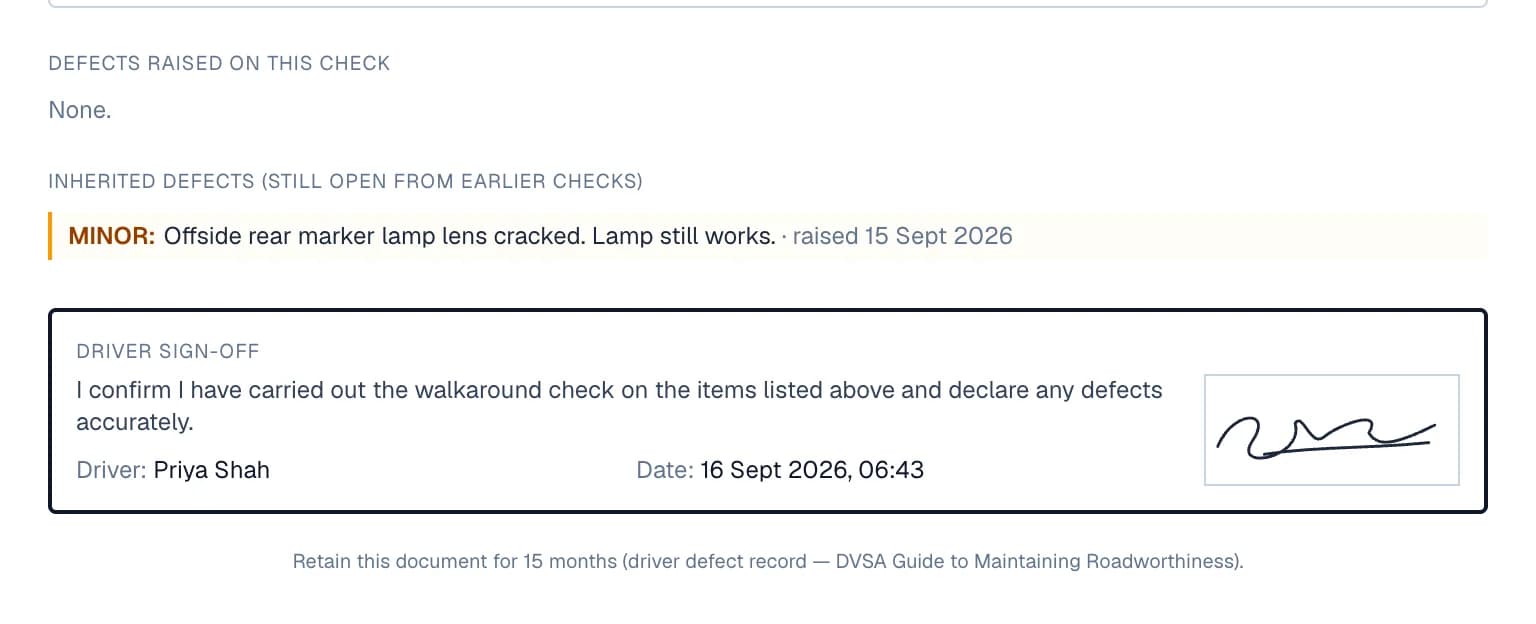
- Minor and major defects nobody has fixed yet are carried onto the record of each later check of that vehicle, so they don't get forgotten.
Step 7: Print the record when DVSA asks
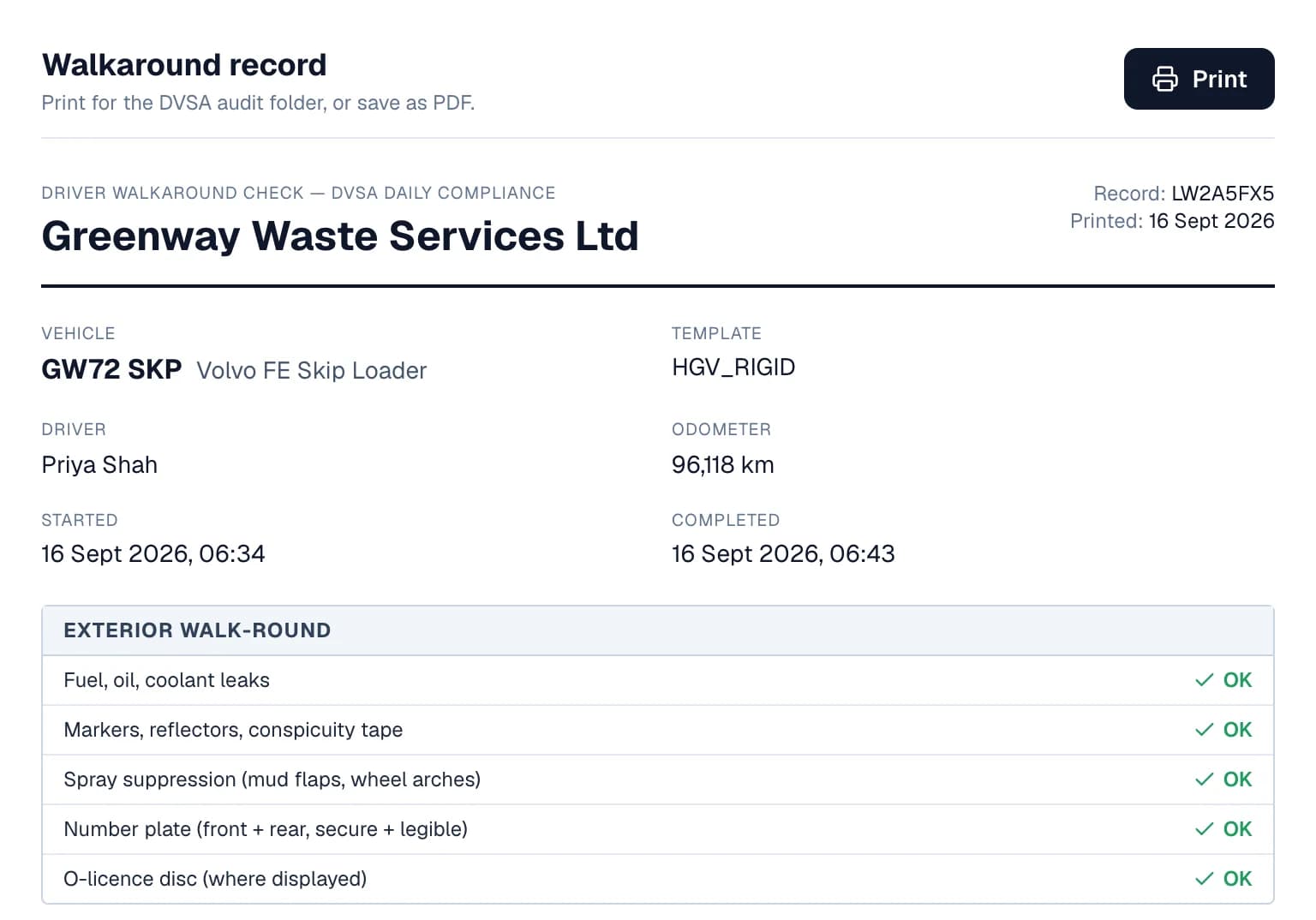
Every completed check has a Print button that lays it out as one record: your company, the vehicle, driver and odometer, every line of the sheet, the defects raised, any still open from earlier checks, and the driver's signed declaration.
Print it for your audit folder or save it as a PDF. Its footer says to keep it for 15 months, citing DVSA's Guide to Maintaining Roadworthiness.
- A completed check can't be deleted.
Everyone does their part where they are
One record per check, whoever touches it and on whatever screen.
In the app
The Walkaround tab: pick the vehicle, flag defects, sign. Works with no signal.
For drivers
In a browser
The same check on the web, with photos on anything flagged.
For drivers without the app
On the dashboard
Every check, the vehicles off the road, job cards, repairs and printouts.
For owners and office staff
From a link
Record the repair and sign the vehicle off as roadworthy. No account needed.
For fitters and garages
Questions
Answered from how the product actually behaves.
Which walkaround sheets are there?
Three, following DVSA's walkaround guidance. HGV (rigid) has 31 checks, for skip lorries, tippers, RoRos and other rigid vehicles. HGV with trailer adds five coupling checks. Light commercial has 21 checks, for vans up to 3.5 tonnes. You choose the sheet for each vehicle.
Does it work with no signal?
Yes, in the WTNcloud app. The whole check, including defects and the signature, is saved on the phone and uploads when the phone is back online. Checks done in a web browser need a connection.
What happens when a driver finds a dangerous defect?
The vehicle is marked VOR, vehicle off road. It shows on the check, in the VOR filter on the Walkarounds page, on your dashboard's compliance card and in your notifications. It stays VOR until the defect is signed off as rectified, by you or by the fitter from their link.
Does the fitter or garage need an account?
No. They scan the QR code on the job card or open the link you email them, record the work, and sign the vehicle off as roadworthy on their phone. Links last 30 days.
What if a minor defect isn't fixed straight away?
Minor and major defects that are still open are carried onto the record of each later check of the same vehicle, marked with the date they were first raised, and onto its printout too. Rectifying from any of those checks closes the original defect.
Can drivers add photos of a defect?
Yes, when the check is done in a web browser: on the dashboard, or by a driver signed in on the web. In the app, drivers record the defect's severity and description. Fitters can add photos when they sign a repair off.
Can I switch walkaround checks off?
Yes. Use the switch at the top of the Walkarounds page, under Settings → Company, or in the app's Settings. It hides walkarounds for you and every driver on your account, and your existing checks are kept. Switch it back on at any time.
What happens to my checks if I change plan?
If your plan no longer includes walkaround checks, you can't start new ones, but every check you've already done stays available to view and print.